A practice in becoming yourself
Turn experience
into instinct.
A place for the moments you want to learn from. Capture what happened, find your own way forward, and practice it in everyday life.
English and 简体中文. App Store release coming soon.
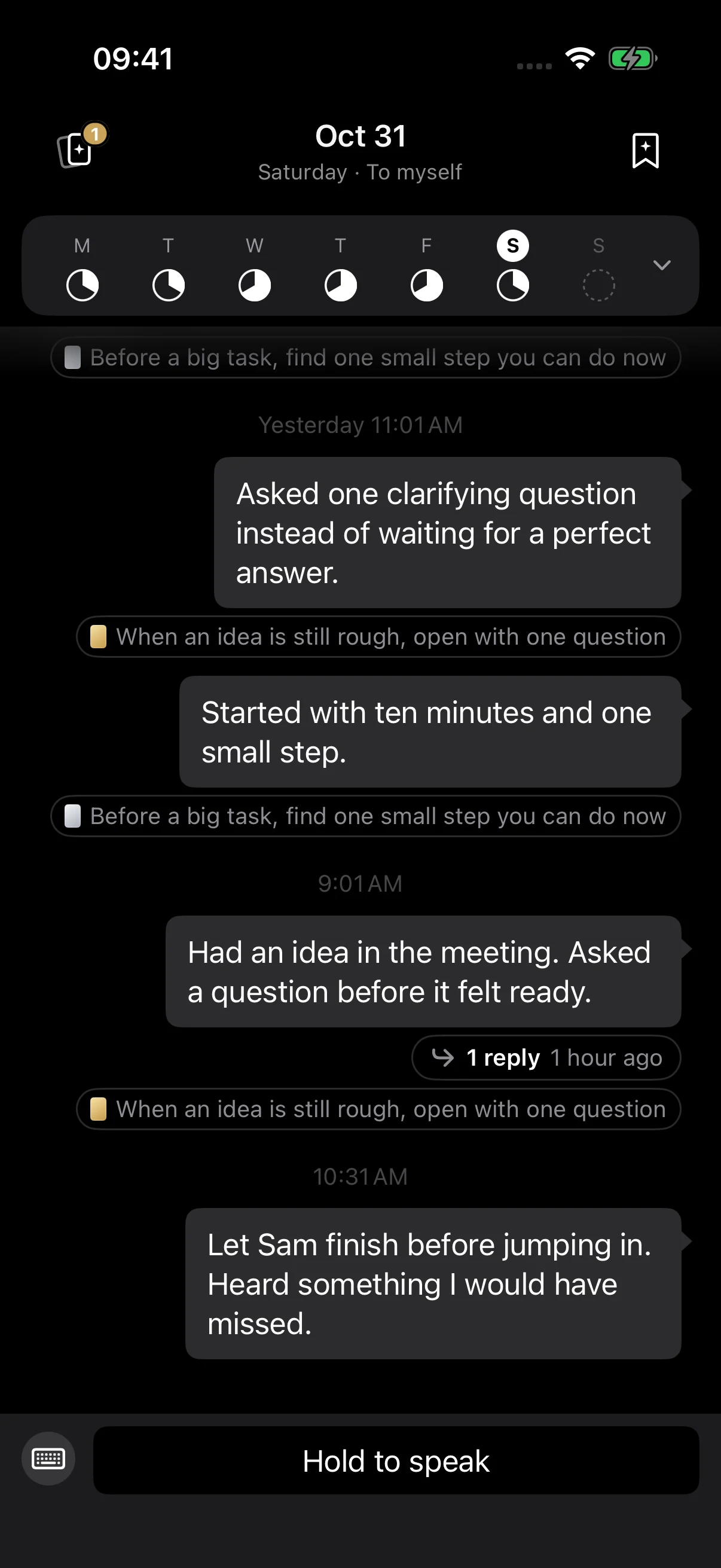
Your words. Your practice. Your own collection.
Made for the moments after
The meeting you spoke up in.
The conversation you handled differently.
There’s something to learn in those small moments. Becoming helps you keep the experience, name what worked, and try it again.
How it works
Small experiences.
A practice of your own.
Start with a sentence from your day. Follow it through the app, from a note to a skill you can use again.
01 / CAPTURE
Actual app screens · Illustrative notes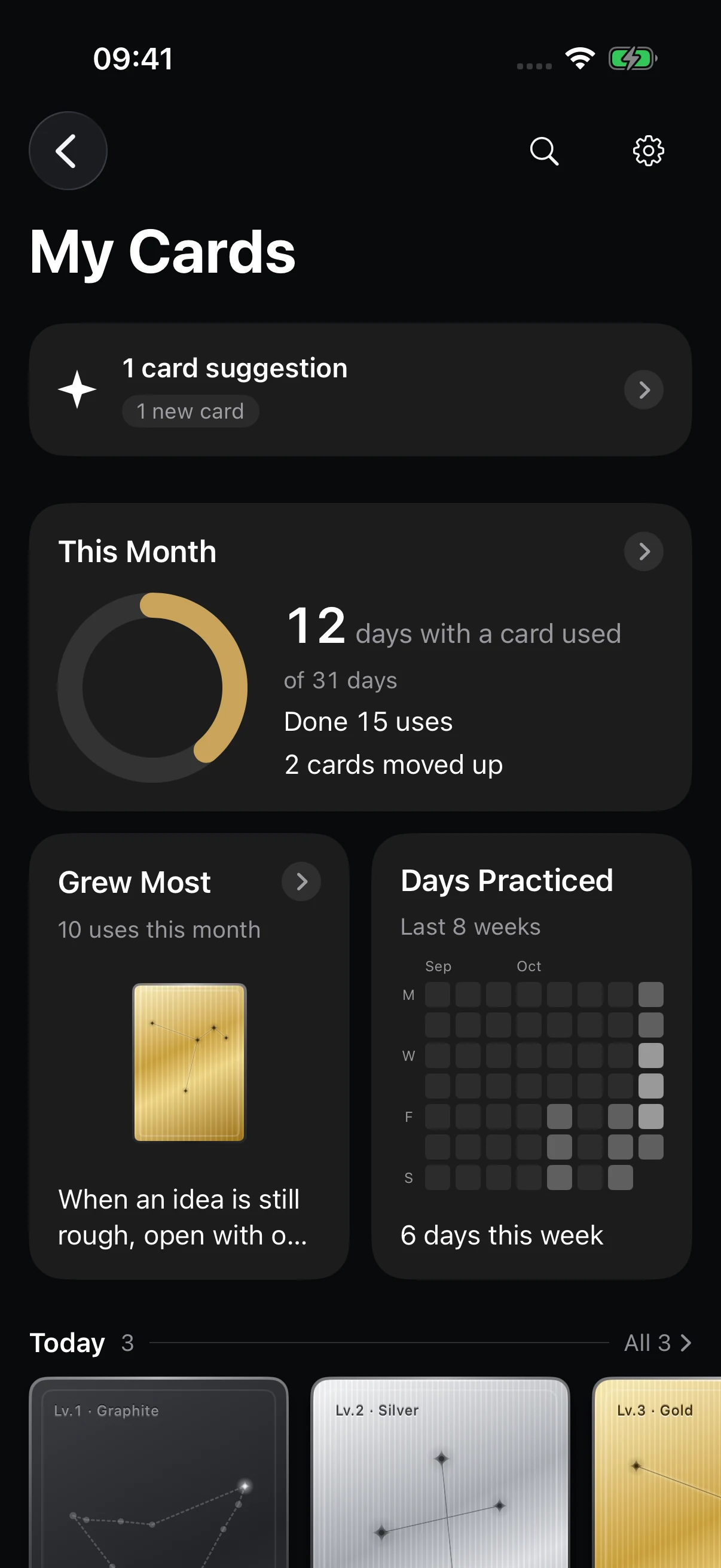
Built from what you actually do
A collection
only you could make.
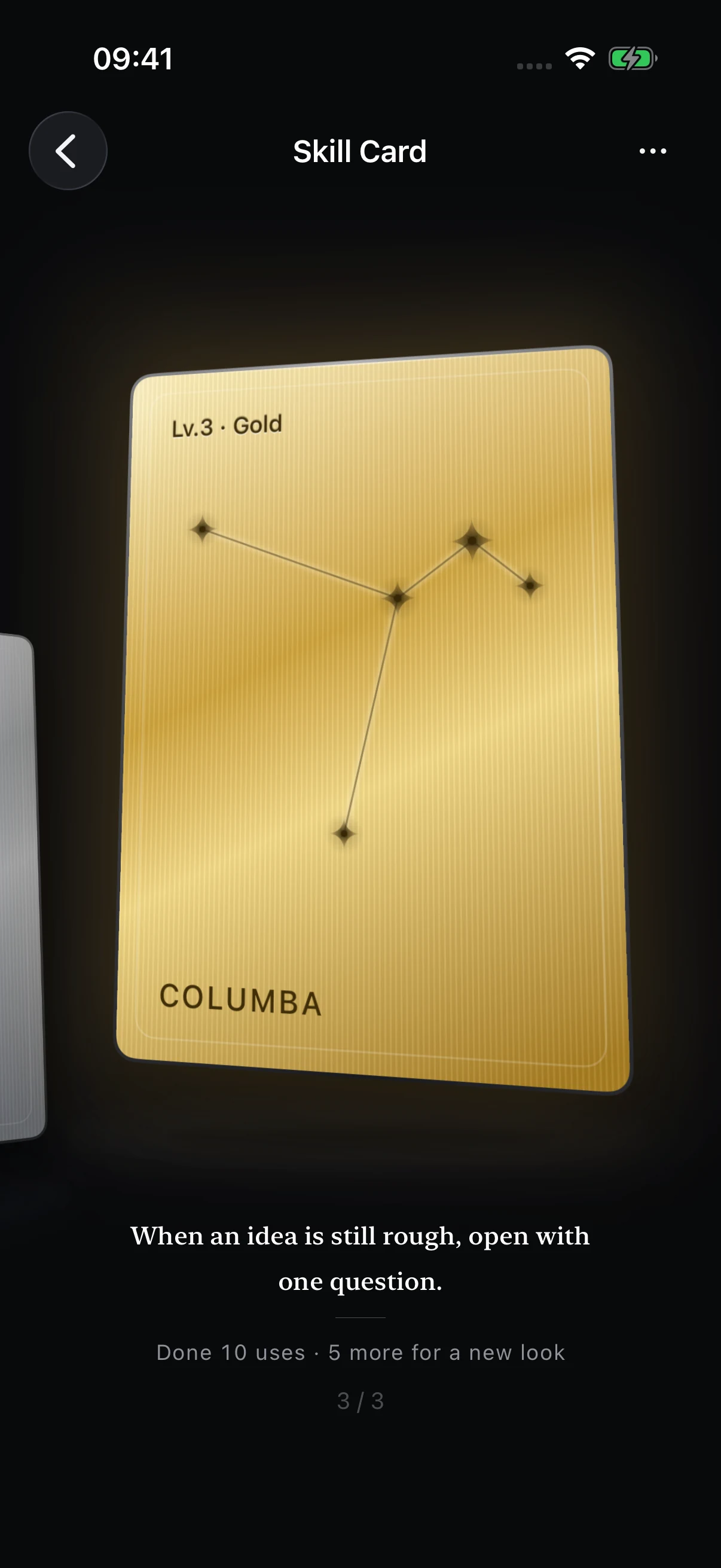
Ask before assuming. Give an unfinished idea a voice. Each card names a way of doing things that you want to make your own.
As you use a skill, its constellation lights up and its material changes. Open the card to find the experiences behind it.
See how a card begins ↗Demo
A little time with Becoming.
Personal by design.
Recordings stay on your iPhone. Speech is transcribed on-device. With your explicit agreement, note text and card data are synced and sent to OpenAI for organizing. You choose which recommendations to keep.
Read the privacy policyA few things
to know.
Is this a journal or an AI chat?
It's a place for notes to yourself. Write or speak about what happened, add reflections to the same thread later, and build skill cards from your experiences. AI organizes and recommends; it doesn't chat back.
Who decides what becomes a skill?
You do. AI suggests a card grounded in your own notes. Reword it, keep it, or dismiss it. A recommendation joins your collection only when you explicitly accept it. Your original notes stay as written.
How does the weekly practice work?
Choose one to four cards for the week. When a new note describes using a skill, it can count toward that card and appear in your weekly view. If a link is wrong, mark it “doesn't count.”
What do I need to get started?
An iPhone running iOS 17 or later, Sign in with Apple, and explicit agreement to cloud AI organizing by OpenAI. The app supports English and Simplified Chinese. Public App Store release is coming; a download link will appear here when it's available.